Hotspot Shield is a VPN service for everyday internet users who want to stay safer while exploring the web. With a virtual private network, you can enjoy benefits such as an encrypted connection, a hidden IP address, and access to some websites and services that may be restricted in your location.
Hotspot Shield is designed to support fast connections for browsing, streaming, and gaming, and it offers free and paid plans for users looking for a VPN in the USA. Read our Hotspot Shield review to get the essential information about this provider and decide if it’s the right fit for your needs.
Hotspot Shield plans and prices
Hotspot Shield offers a free version called Basic and a paid subscription called Premium. You can choose monthly or annual billing, with introductory discounts available on some offers. The current US-dollar prices advertised on the website include:
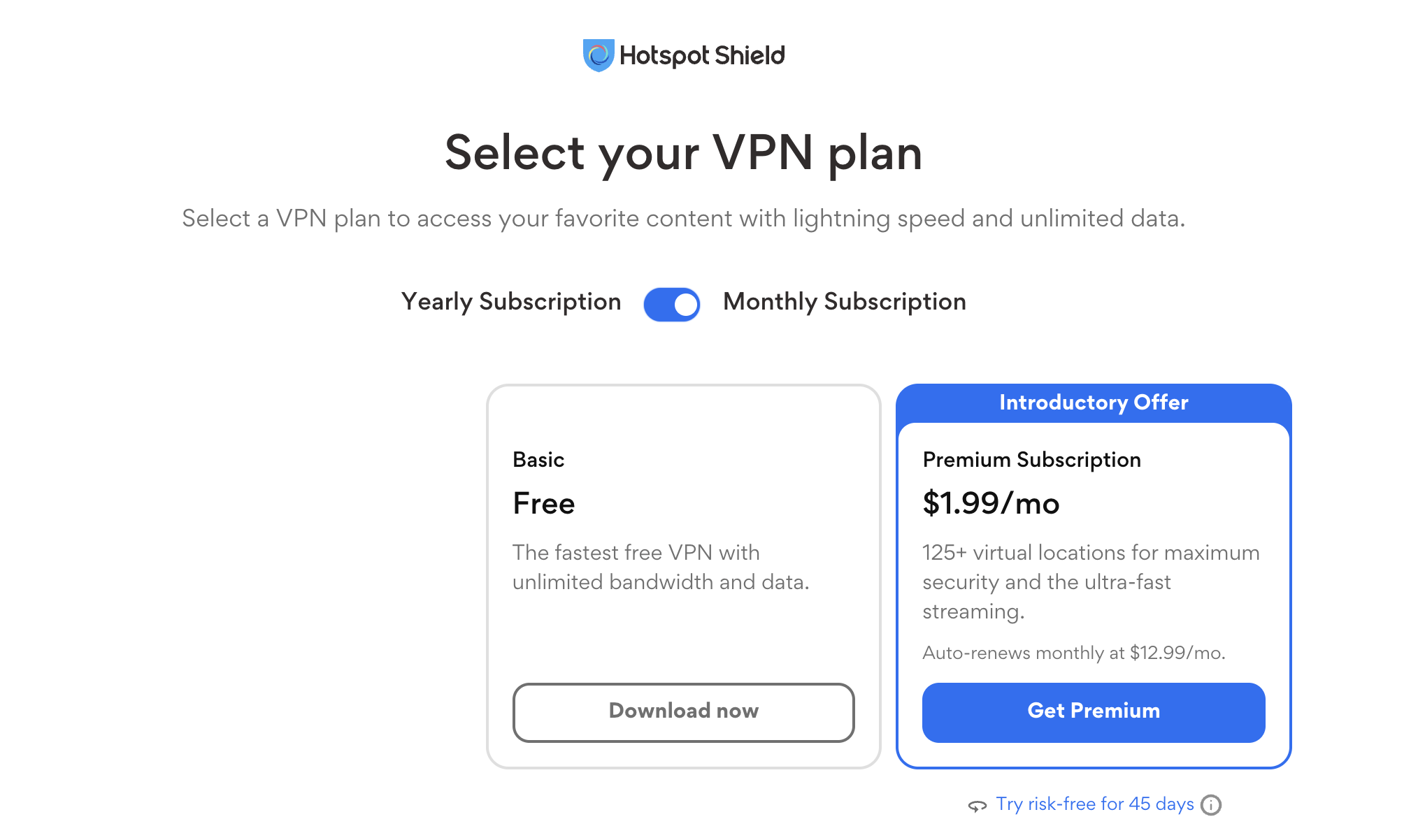
- Monthly subscription: first month for $1.99, then $12.99 per month at renewal.
- Annual subscription: $29.00 for the first year, renewing at $95.99 per year – equivalent to approximately $8.00 per month, billed annually.
Prices and available subscriptions can vary by country and purchase platform, so check the initial charge and renewal price before subscribing.
The service is available on multiple platforms, although the free and paid versions do not include the same features. Hotspot Shield Premium includes:
- Unlimited data and bandwidth.
- Connections on up to 10 devices simultaneously.
- Access to more than 125 virtual locations.
- Streaming and gaming modes.
- 24/7 customer support.
- Support for additional platforms, including compatible smart TVs. Feature availability varies by platform.
Subscriptions purchased directly from Hotspot Shield come with a 45-day money-back guarantee. Subscriptions renew automatically unless you turn off auto-renewal through your account.
PayPal is a supported payment option, and Hotspot Shield also offers subscriptions through app stores. Check the checkout page for the payment methods available for your purchase.
Hotspot Shield Elite or free: what to choose?
The right plan depends on how you intend to use the VPN. Basic offers a free option for everyday browsing, while Premium provides a wider choice of locations, more device connections, and additional features for streaming and gaming.
Free Hotspot Shield VPN version:
+ Provides an encrypted VPN connection without a paid subscription.
– Offers a more limited selection of locations than Premium.
– Includes advertising on Android. Hotspot Shield notes that free mobile users may need to watch ads to extend their daily allowance.
– Does not guarantee access to every website or streaming service. The plan comparison reserves streaming optimization for Premium.
Hotspot Shield Premium version:
+ Offers access to more than 125 virtual locations.
+ Supports up to 10 simultaneous device connections.
+ Includes unlimited data, streaming and gaming modes, and 24/7 support.
+ Offers a seven-day free trial through eligible sign-up routes.
General information on Hotspot Shield
Hotspot Shield is a VPN service within Point Wild’s portfolio of cybersecurity brands. Its paid subscription supports up to 10 devices. This makes it a practical option for users who want to protect their connections across smartphones, tablets, and computers, including when traveling or using public Wi-Fi.
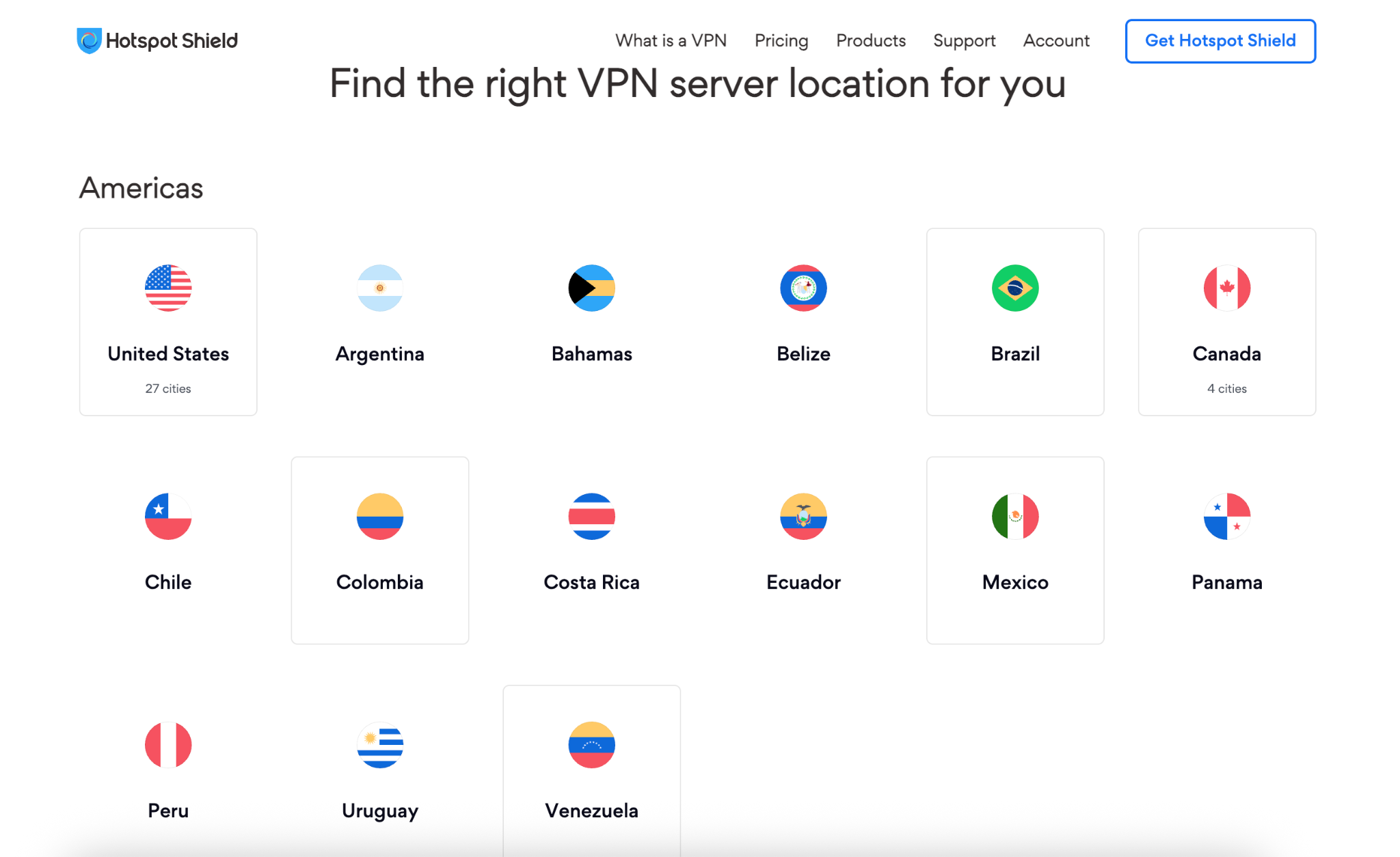
The service offers servers in the United States and many other locations worldwide, but note that its Premium offers a broader range of locations than the free Basic version.
Benefits of Hotspot Shield
Speed – Hotspot Shield’s proprietary Hydra protocol delivers fast, secure connections for browsing, streaming, and downloading. Other supported protocols include WireGuard and IKEv2/IPSec, depending on the platform. Actual speeds vary with your internet connection, server location, network conditions, and chosen protocol. In our speed tests, Hotspot Shield maintained 85% of our baseline download speed.
Security – Hotspot Shield encrypts traffic between your device and the VPN server, helping protect data from interception on public Wi-Fi and other untrusted networks. It uses strong encryption, including AES-256 with supported protocols. However, a VPN does not protect against every online threat or make unsafe websites and downloads harmless.
Access to online services – Hotspot Shield helps you access streaming platforms, messaging services, and social networks when network or location restrictions interfere.
Hide your actual IP address – When connected to Hotspot Shield, websites will see the VPN server’s IP address instead of your usual public IP address, ultimately adding privacy to your browsing activity.
Browsing privacy – Hotspot Shield’s privacy policy states that it does not retain records of the websites you visit or apps you access through its VPN connection.
Customer support – Premium subscribers can contact customer support through live chat or email, with assistance advertised as available 24/7. The online support center also provides setup instructions and troubleshooting guides.
Is Hotspot Shield safe to use?
Hotspot Shield publishes information about its security features and supported VPN protocols. These include its proprietary Hydra protocol and, on supported platforms, WireGuard and IKEv2/IPSec. Its encryption helps protect traffic traveling between your device and the VPN server.
The main security benefits include:
- Safer browsing on public Wi-Fi – An encrypted VPN connection helps reduce the risk of other people on an untrusted network intercepting your traffic.
- Additional connection privacy – A VPN can limit what your internet provider or local network operator can see about your browsing.
- Protection of browsing activity under the stated privacy policy – Hotspot Shield says it does not associate your identity or account credentials with the websites and apps you access during VPN sessions. Its wider privacy policy still applies to account information and other data it collects.
What is Hotspot Shield’s customer support service like?
Hotspot Shield provides support through:
- Online help center with answers to common questions, installation instructions, and troubleshooting guides.
- Live chat for Premium subscribers, accessible through the account dashboard.
- Email support, with 24/7 assistance advertised for Premium members.
To access live chat, you need to sign in to your Premium account on the Hotspot Shield website, open the Support section, and select Live Chat.
Hotspot Shield’s connection problems
Like any VPN, Hotspot Shield can occasionally have trouble connecting. Common causes include an unstable internet connection, another active VPN, firewall or antivirus settings, and networks that restrict VPN traffic. A problem may also affect a particular server location or protocol rather than the entire service
If Hotspot Shield does not connect, try the following steps:
- Check your internet connection. Disconnect the VPN and try opening a website. If browsing still does not work, resolve the underlying connection problem first. On public or workplace Wi-Fi, complete any required network sign-in before connecting to the VPN.
- Update and restart the app. Make sure you are using the latest compatible version of Hotspot Shield. Close and reopen the app, then restart your device if necessary. If the problem persists, reinstalling the latest official version may help.
- Disconnect other VPNs. Running multiple VPN or proxy applications simultaneously can cause conflicts. Close other VPN connections before trying Hotspot Shield again.
- Try another server location. Connect to a different country or city to check whether the problem is limited to one location.
- Change the VPN protocol. If your app offers protocol selection, try another supported option. Hotspot Shield’s troubleshooting guidance suggests Hydra for some connection problems.
- Review firewall and antivirus settings. Check whether your security software is blocking Hotspot Shield. Where appropriate, add a specific exception for the official app rather than disabling your firewall or antivirus.
- Test another network. Switch between Wi-Fi and mobile data, or try a trusted personal hotspot. If the VPN works elsewhere, the original network may be restricting VPN traffic.
- Check your account and device allowance. Make sure you are signed into the account associated with your subscription. Premium supports up to 10 devices, so check if you’re not exceeding this limit.
If the VPN connects but feels slow, compare your connection with and without it, then try another server or protocol. If problems continue, contact support and include your device model, operating system, app version, error message, affected location, and the troubleshooting steps you have already tried. Hotspot Shield’s support guides recommend isolating network, location, and protocol issues before escalating the problem.
Is it easy to create a client account?
Creating a Hotspot Shield account is straightforward. You can register through the website or follow the sign-up prompts in the app. If you already have a Premium subscription, sign in with the same account on your other supported devices to access its features.
Platforms
Hotspot Shield offers VPN apps for Windows, macOS, iOS, and Android, as well as support for Linux and certain TVs and routers. It also advertises a Chrome extension. Compatibility, installation methods, and features vary by platform, so check the requirements for your device before subscribing. Premium supports up to 10 devices.
Hotspot Shield for Windows:
If you need to download and install Hotspot Shield for Windows, here’s how to do it:
- Visit Hotspot Shield’s official website and select the Windows download.
- Download and run the installer, then follow the installation prompts.
- Open the app and sign in to your account if prompted.
- Choose the available free option or activate your Premium subscription.
- Select a location available with your plan and connect.
Hotspot Shield for Mac:
Installing Hotspot Shield on macOS is also easy:
- Open the Mac App Store and find the official Hotspot Shield app, or follow the Mac download link on the provider’s website.
- Install and open the app.
- Follow the prompts to create an account or sign in.
- Allow Hotspot Shield to add the VPN configuration when macOS requests permission.
- Choose an available location and connect.
Hotspot Shield for iPhone and iPad:
- Open the App Store on your device and download Hotspot Shield.
- Launch the app and follow the account and plan-selection prompts.
- If you already subscribe, sign in to your Premium account.
- Approve the request to add a VPN configuration.
- Connect using an available location. You do not need iTunes to install the app.
Hotspot Shield for Android:
- Open Google Play and find the official Hotspot Shield app.
- Install and launch it.
- Follow the onboarding prompts and choose the available Basic option, or sign in to activate Premium.
- If a trial is offered, review its billing and cancellation terms before accepting.
- Approve the VPN connection request and connect.
Once the app is running, review its connection settings. Depending on the version, these may include connecting via VPN on Android app launch or automatically connecting to selected network types. Choose the settings that suit your needs rather than assuming the default configuration provides continuous protection.
Hotspot Shield for Chrome:
- Follow the Chrome extension link from Hotspot Shield’s official website to the Chrome Web Store.
- Check that you have opened the official listing.
- Select Add to Chrome and confirm the installation.
- Open the extension and follow its onboarding instructions.
- Choose an available connection option and connect.
Do not assume that a browser extension provides the same coverage as a full-device VPN app. Check which traffic it protects before relying on it for applications outside Chrome.
If you have trouble installing or using Hotspot Shield, its help center provides setup guides, account assistance, and troubleshooting instructions. Premium customers can also access live chat support.
Terms of service
Before creating an account or starting a subscription, read Hotspot Shield’s terms and privacy policies. Pay particular attention to automatic renewal, trial cancellation deadlines, refund eligibility, advertising, and data collection. Purchases made through an app store or reseller may have different billing and refund arrangements from subscriptions purchased directly.
Free vs paid subscriptions
Hotspot Shield offers free and paid services. Its terms allow third-party advertising in free versions and state that it will not deliver those advertisements to paid subscribers. Premium provides additional features, while Hotspot Shield’s terms acknowledge that availability and performance depend partly on internet connections and third-party infrastructure.
Trials, renewals, and refunds
Trials may require payment details and automatically convert into the selected paid subscription unless canceled within the stated deadline. For direct purchases, Hotspot Shield’s terms specify that you must cancel at least 24 hours before the trial ends.
Paid subscriptions also renew automatically unless canceled. Review the renewal price and billing period before subscribing, and follow the cancellation instructions for the platform through which you purchased.
Hotspot Shield offers a 45-day money-back guarantee for subscriptions purchased directly from the company. This requires an upfront payment and is separate from a free trial. App-store and reseller purchases may be subject to different refund rules.
What user information does Hotspot Shield collect?
Hotspot Shield’s VPN privacy notice states that it does not record browsing activity in a way that can be associated with an individual user. However, this should not be interpreted as collecting no data. The notice describes collecting information such as session duration, bandwidth consumption, device hashes, and anonymized domain information. It also says that a device’s IP address is collected when a VPN session begins, encrypted, and deleted when that session ends, without being linked to VPN browsing activity.
For free versions, third-party advertising services may collect advertising identifiers, IP addresses, and device information associated with ad delivery. According to the notice, those advertising services do not receive users’ VPN browsing activity.
Using the app without entering your name or payment details therefore does not mean that no information is collected. Review both the general privacy policy and the VPN-specific notice to understand the distinction between account data, operational information, and browsing activity.
Summary
Hotspot Shield is worth considering if you want a free VPN option or a paid service with apps for several platforms and support for multiple devices. Premium adds a broader choice of locations and additional features, while Basic provides a more limited way to use the service without a paid subscription.
Its suitability depends on your devices, privacy expectations, and intended use. Before committing to a paid plan, check the renewal price, confirm the features available on your platform, and test the services you use most.
Hotspot Shield pros
- Free Basic plan available
- Apps for major desktop and mobile platforms, with additional device support
- Premium support for up to 10 devices
- Encrypted connections and a choice of VPN protocols on supported platforms
- 24/7 live chat and email support advertised for Premium subscribers
- 45-day money-back guarantee for eligible direct purchases
- 7-day trial available through eligible offers
Hotspot Shield cons
- Basic plan has fewer locations and features than Premium
- Free versions may include third-party advertising and related data collection
- Features and settings differ between platforms
- Renewal prices can be higher than introductory offers